
Devlog #11: A new look, crafting in the menu, and a crash finally caught
This round covers the last two days of work, and it was mostly about how the game looks and feels when you open a menu. We played it, wrote down everything that felt clunky, and worked through the list. We also tracked down a crash that had been turning up every so often for a while.
One look across the whole interface
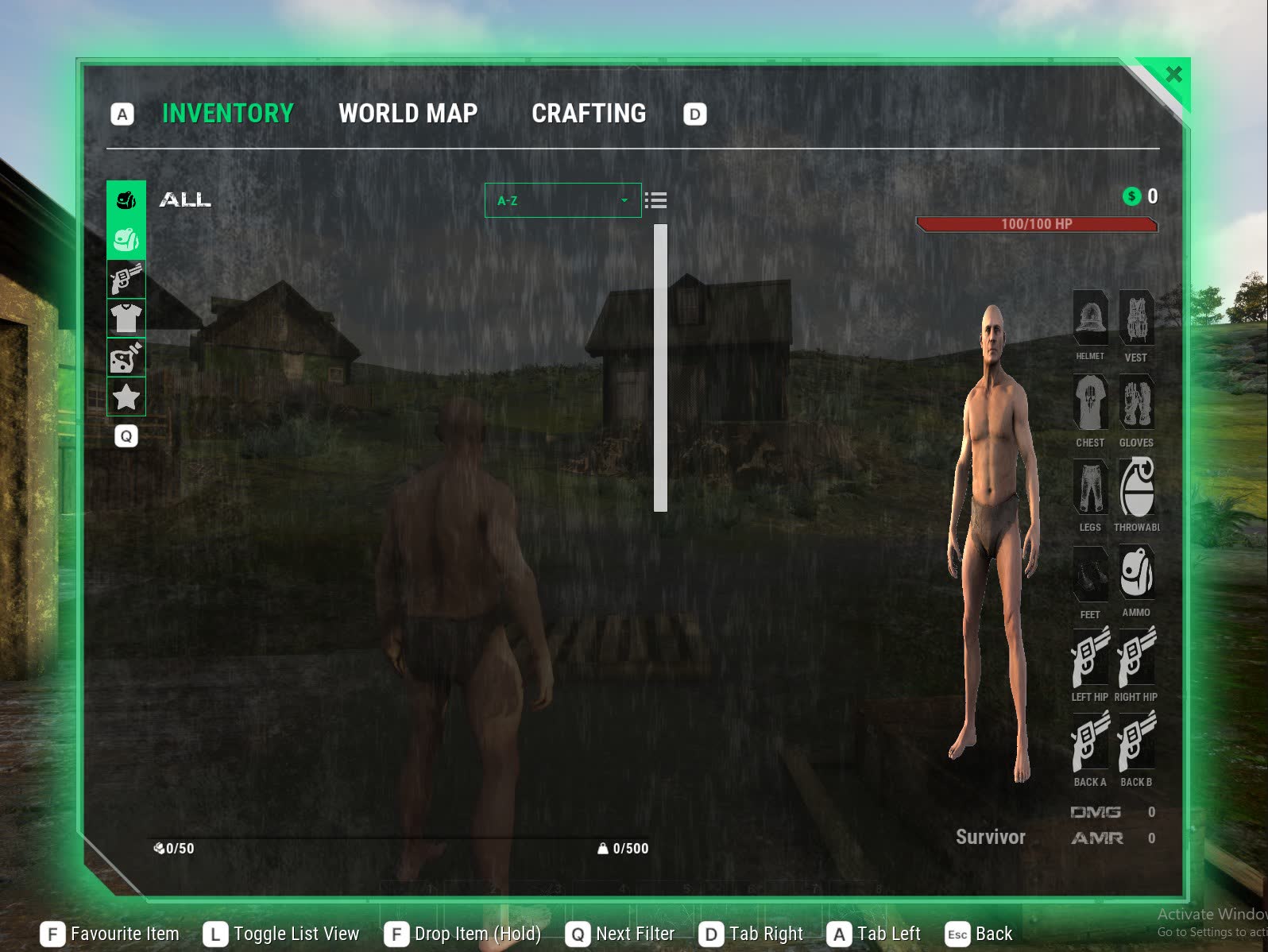
The menus now share the same look as our dashboard and website. Every panel, slot and bar has its top-right and bottom-left corners cut off, with a worn, grungy texture and green highlights. Before, there was a mix of rounded corners, square corners and plain flat boxes.
- The menu window is now see-through with a grunge texture, has a soft green glow around it, and closes with a green tab sitting in its cut corner.
- Equipped items fill their slot's cut corner with green and a tick, so you can see at a glance what you're wearing.
- Item pictures are trimmed to the same cut shape, so they sit neatly inside their slots.
- Empty equipment slots show our own outline icons (helmet, vest, shirt, gloves, trousers, boots).
- The stats panel is cut down to the two numbers that matter: DMG and AMR.
- The level and XP bar is gone. Beyond doesn't have levels, so it was only taking up space.
- The HP bar in the menu matches the grungy health bar on the main screen.
- Scroll bars are thin green bars, the same as on our dashboard.
- We removed the Quest Journal and Skills tabs. The menu now has just Inventory, World Map and Crafting.
The rest of the screens follow
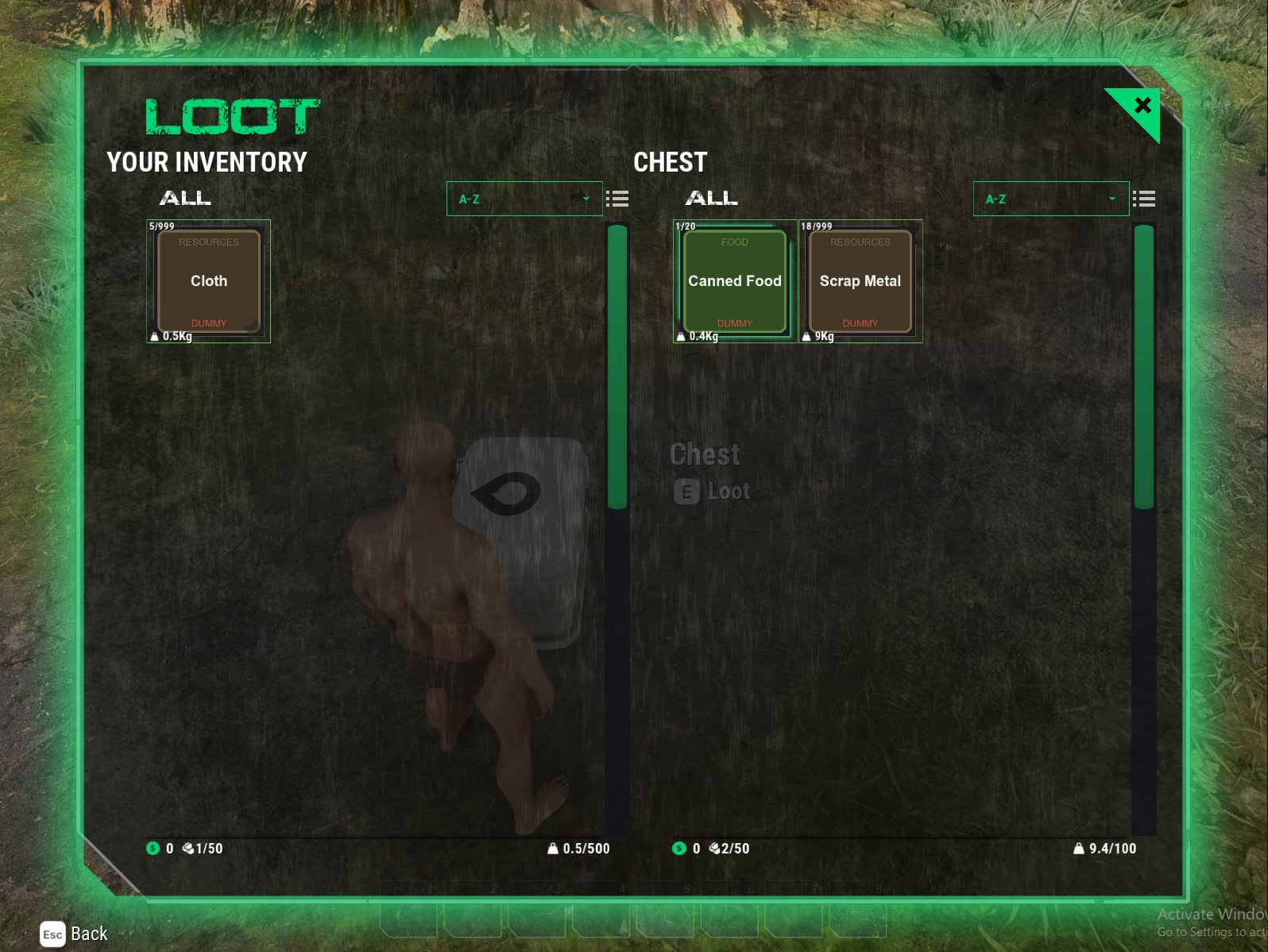
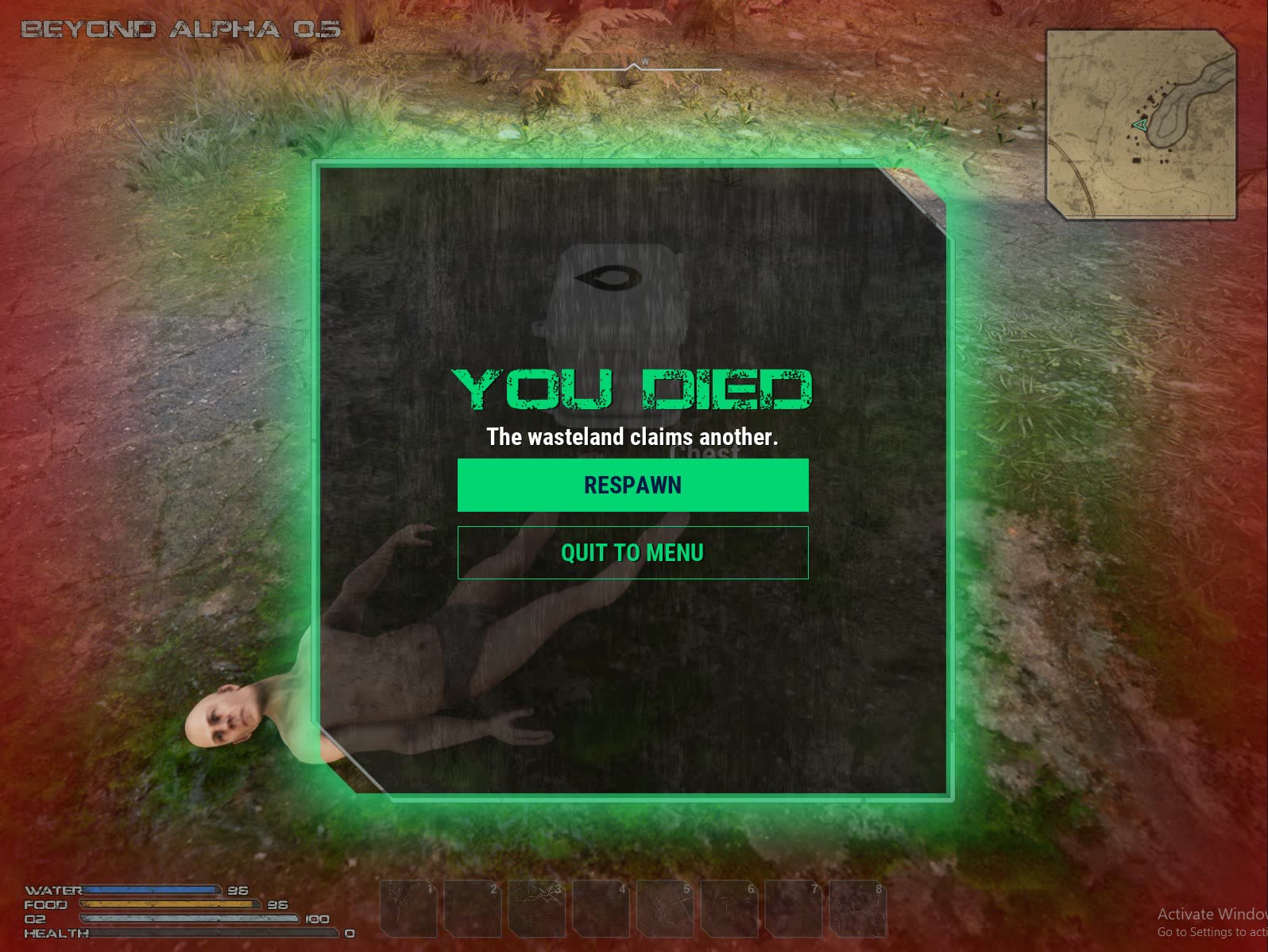
The loot window, the item tooltip and the death screen now use the same panel. The death screen used to cover the whole screen. Now it's a smaller window in the middle with the green glow, and you can still see the world through a red haze around it.
Crafting moves into the menu
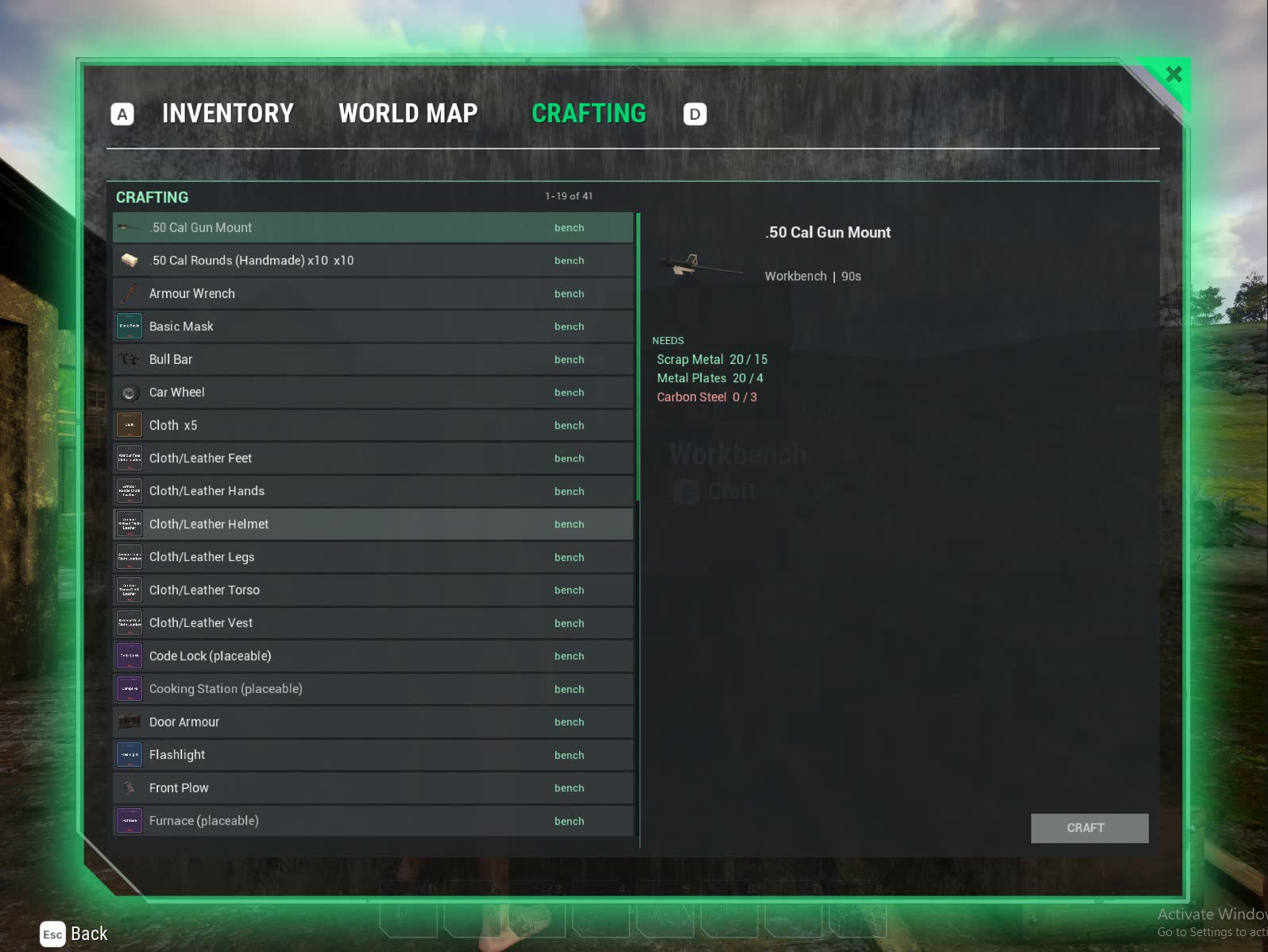
Crafting used to be its own overlay on top of the inventory. Now it's a tab in the player menu, next to Inventory and World Map. It shows a picture for each recipe, what you have against what you need, and a Craft button.
Benches open the menu straight on the Crafting tab, and each bench lists only its own recipes. You can keep walking while the bench menu is open, and walking away closes it. The benches themselves are bigger now, around waist height, so they don't look like toys.
Smaller changes from playtesting
- Hotbar: you can drag items from your bag onto the hotbar, swap slots around, and drag items off to clear a slot. Only weapons, tools and things you place fill the hotbar automatically. Food and drink are up to you.
- Inventory: the mouse wheel scrolls the item grid.
- Health, food, water and stamina bars are now thin, horizontal and grungy, and half the height they were.
- Food and water: cans and bottles now turn up in loot. You can also drink straight from rivers and lakes by pressing E.
- The scrap hatchet is now a real one-handed tool that chops trees.
- Melee swings no longer push you forward.
- First-person arms no longer vanish after you close the inventory.
- Hovering cars: some parked cars were freezing in mid-air when they loaded in before the ground under them. They now wait until their wheels are actually on something, and the cars on the main map were lowered onto the ground.
- Spawn crates and small boxes no longer give out wood. You chop it yourself. Loot gives a bit more scrap to make up for it.
- Placing benches: workbenches, furnaces and other stations go on the hotbar like tools. Hold one out to see a ghost of where it will go, then place it.
- Building ghost: the preview of a wall or foundation no longer sits right on top of you. It keeps a sensible distance in front, so you can see what you're placing.
- The scrap hatchet recipe now only needs scrap, so it's one of the first things you can make.
- World map and minimap: the map is now an old parchment sketch of the land, built from the real terrain, roads and buildings. The round minimap is now a square, cut-corner one.
The crash
For a while the game crashed every so often while you were moving around the map, with no obvious cause. This time we caught it in the logs and traced it.
To save performance, a parked car stops simulating physics once it has settled. The physics engine still remembered the patch of ground under its wheels, though. When you walked far enough away, that ground unloaded, and the next time the engine checked the car it read ground that no longer existed and crashed. It turned out to be a known bug in the engine itself.
Now a settled car fully lets go of its physics, and picks them back up when it needs to move. We tested it by parking cars, wrecking one and repairing it again, and teleporting around the map so areas unloaded and reloaded. Nothing crashed. The crash used to be random, so we'll only be sure once we've had some longer play sessions without it.
What's next
- A full fresh-start run. Spawn with nothing, scavenge, chop, mine, craft each bench and build a small hut, writing down every place it gets stuck.
- Better tools, and crafting complete guns instead of only finding them.
- Towns for the remaining spots on the map.
The game is starting to look like one game rather than a pile of parts. Next is making it play like one from start to finish.
Loading comments...